6 Ways to Use a Grid Overlay on Maps for Better Planning
March 8, 2026
Whether you are organizing an outdoor event, planning a hike, or sketching a construction site, dividing a map into a consistent grid makes spatial reasoning easier. Combined with annotation tools (draw zones, place markers, add arrows) and labeled waypoints, a grid overlay becomes a quick way to brief a team or document a plan. Here are six practical ways it helps.
1. Tactical & Mission Planning
Operators plan on grids. Switch the overlay to MGRS for standard references, place tactical symbols and maneuver drawings, number your objectives, and anchor a GRG image over the map. Add sun and moon analysis for light conditions and you can build a complete mission brief in one view, then export it as a clean image or a PDF at real scale for the team.
2. Event Layout & Zone Planning
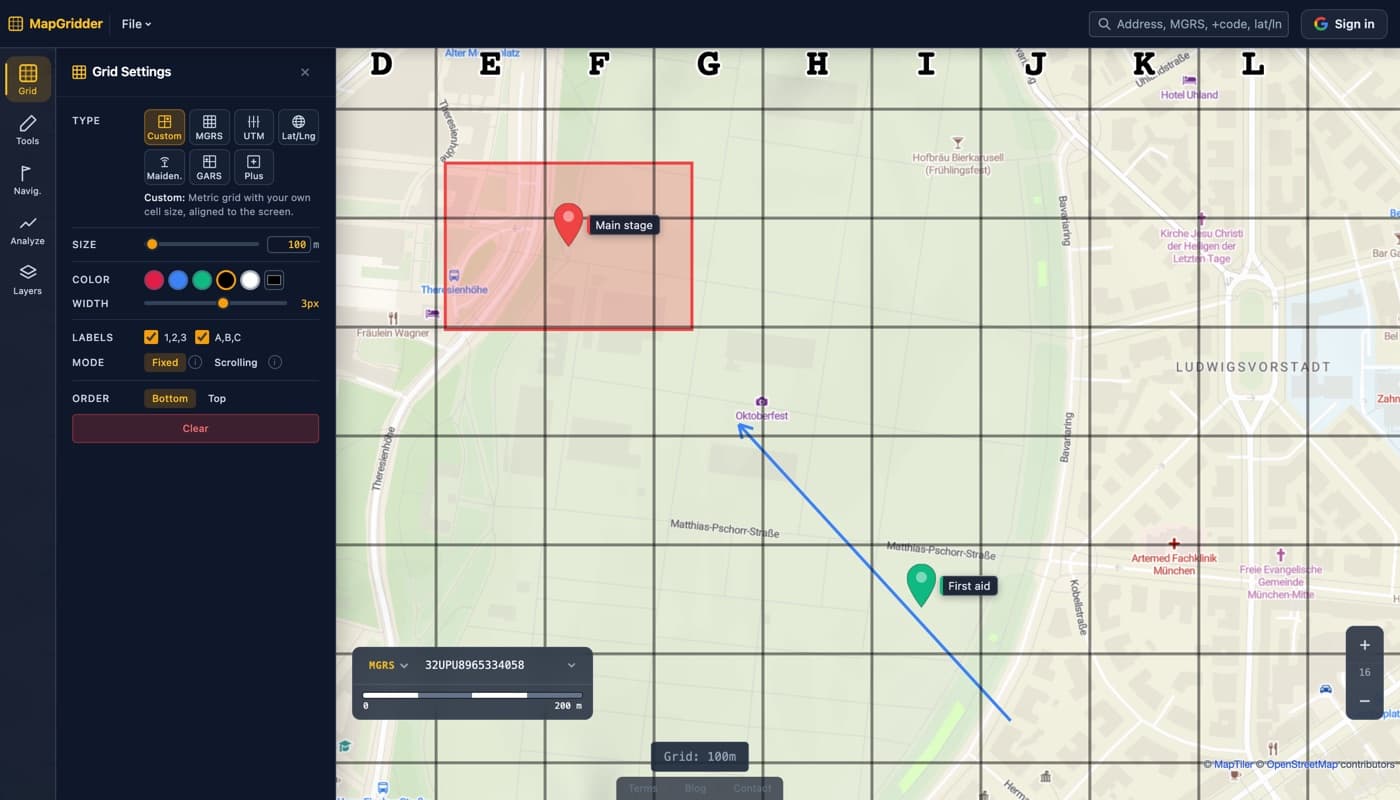
Festivals, markets, and sporting events need clearly defined zones. Overlay a 50‑meter grid on the venue map and assign each cell a reference like "B3" or "D7." Vendors, security teams, and attendees can all use the same coordinate language, reducing confusion when giving directions.
3. Volunteer Field Coordination
Beach cleanups, citizen-science surveys, geocaching events, and orienteering practice all benefit from a labeled grid. A 100‑meter grid turns an unstructured area into an organized sweep pattern. Each group gets assigned cells to cover, so nothing is missed and nothing is double-counted.
4. Construction & Site Surveys
Before breaking ground, engineers need to map utilities, access roads, and building footprints. A 10‑meter grid overlay provides quick reference points for measurements and annotations without requiring specialized GIS software.
5. Agricultural Field Mapping
Farmers and agronomists divide fields into management zones for irrigation, fertilizing, and pest control. A grid overlay at 25 or 50 meters makes it straightforward to plan treatments and record observations per cell, supporting precision agriculture workflows.
6. Hiking & Outdoor Navigation
Hikers and trail runners can overlay a 500‑meter grid on a topographic area to estimate distances at a glance. Combined with the built-in measure tool, you can plan routes, calculate elevation segments, and share waypoints using grid references, all without installing any app.
Going Further: Annotations, Waypoints, and Export
A grid alone sets the frame; the real value comes when you layer on top of it. The draw tool lets you outline zones directly on the map (polygons, rectangles, circles), add directional arrows for flow or movement, and mark key points with labeled waypoint markers. When you are done, export a clean screenshot (full-screen or a selected area) with no watermark, ready for a briefing document, slide deck, or shared group chat. Your work auto-saves in your browser as you go; sign in and you can keep each plan as its own named map in your account (one per field, event, or route) and open it on any device.
Ready to try it? Open MapGridder. It is free for personal and non-commercial use and works in your browser. A quick, free sign-in is only needed to export.