Grid Referencing for Beginners: How Row-Column Labels Work
March 9, 2026
Grid references are a simple way to pinpoint locations on a map without needing GPS coordinates. If you've ever played Battleship, you already understand the concept: columns get letters (A, B, C…) along the top, rows get numbers (1, 2, 3…) down the side, and every cell has a unique label like "C5."
Why Use Grid References?
GPS coordinates are precise but hard to communicate verbally. Saying "meet me at 32.0853, 34.7818" is error-prone. Saying "meet me at cell D4" is fast, clear, and works even when team members have different devices or no cellular signal.
How MapGridder Labels Work
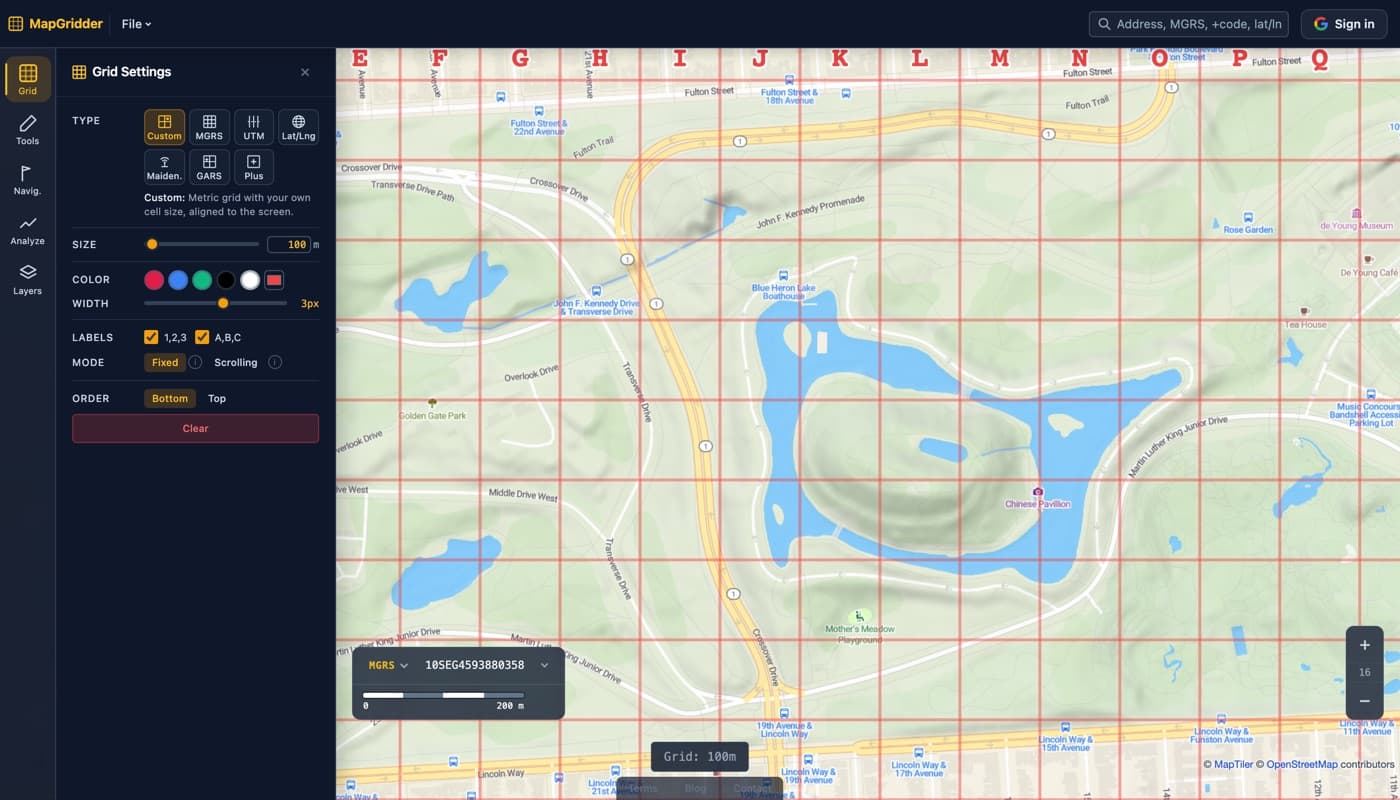
When you apply a grid in MapGridder, the tool automatically generates column letters across the top and row numbers down the left side. These labels stay fixed relative to the grid itself; as you pan the map, the labels move with the grid lines so the reference system remains consistent.
For grids wider than 26 columns, labels extend to two-letter combinations (AA, AB, AC…), similar to spreadsheet column headers. This keeps the system scalable for large areas.
Practical Example
Imagine you're organizing a music festival in a park. You overlay a 50-meter grid and print the resulting map. The main stage is in cell E3, food trucks line row 7, and the first-aid tent sits at B1. Every volunteer gets the same printed grid, making radio communication unambiguous: "We need cleanup at F5" instantly tells everyone exactly where to go.
Tips for Effective Grid Referencing
- Choose a grid size that matches your task: 10m for detailed site plans, 100m for search areas, 500m for regional overviews.
- Always state the column letter first, then the row number (e.g. "C5" not "5C") to keep communication consistent.
- Export a screenshot and share it so everyone works from the same reference map.
- Use high-contrast grid colors (amber or red on satellite imagery, black on light map tiles) for readability.
Try it yourself: open the map with the grid panel ready, enable row numbers and column letters, and see how quickly a labeled grid simplifies your workflow.