For game masters
Put a grid on any battle map
Drop in the map art, align the grid in two clicks, add tokens and fog of war, and take it to the table, your virtual tabletop, or the printer.
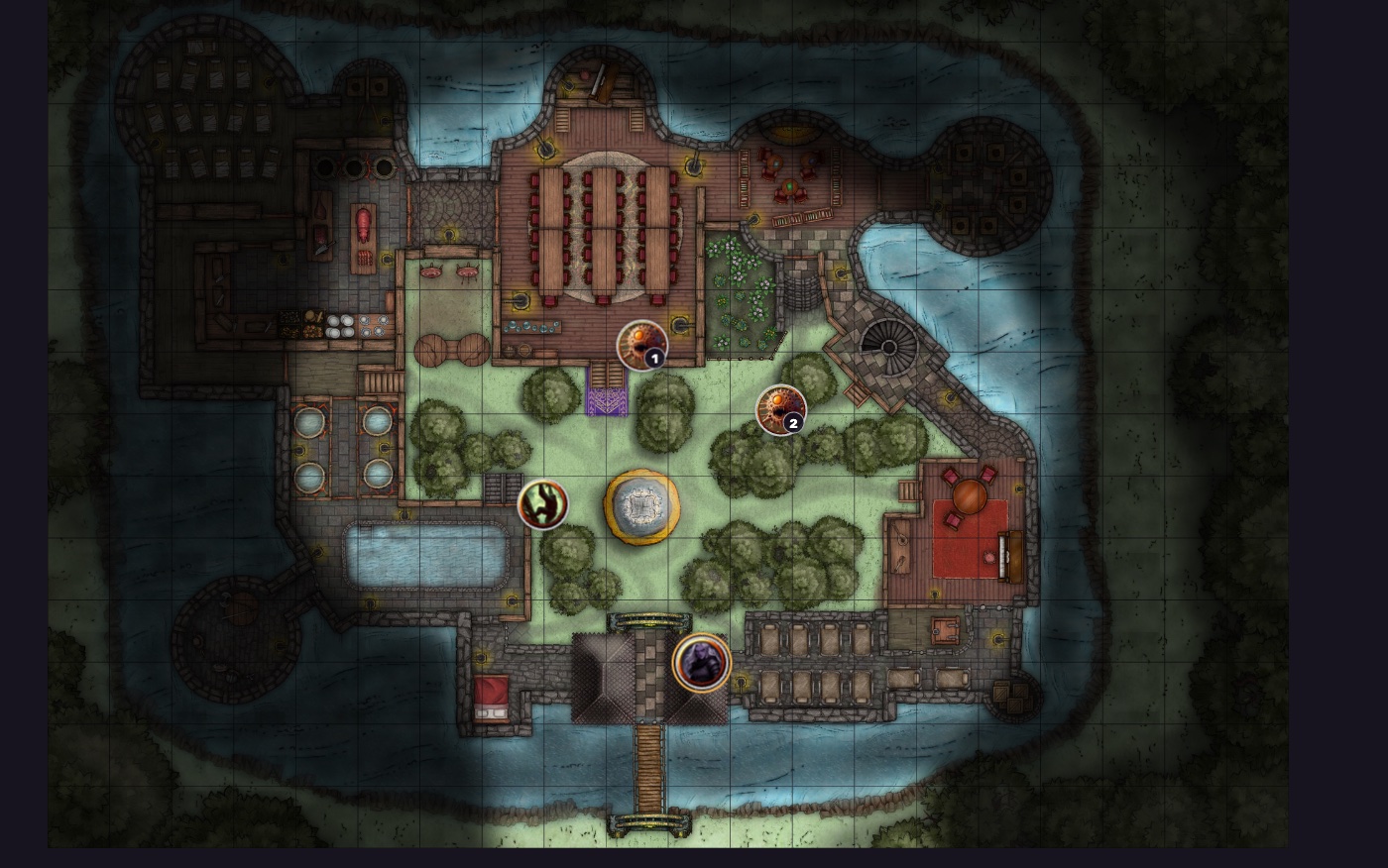
The misaligned-grid problem, solved
Every game master knows the ritual: import a beautiful map, then spend ten minutes nudging cell-size sliders while the printed grid and the overlay drift in and out of phase. Here the art is the source of truth. Click two corners of one square that is already printed on the map, or let detection read the art for you, and the grid locks to the pixels. Pan and zoom all you like; the lines stay put.
From art to table in three steps
- Drop the map in. Drag a PNG, JPG, or WEBP onto the board, or paste it from the clipboard. It loads instantly and never uploads anywhere.
- Snap the grid. Detect it from the art or align it with two clicks, then style the lines, turn on A1 references, and set what a square means, 5 ft by default.
- Play or ship it. Place tokens, paint fog, measure ranges in squares and feet, then export at your platform's exact grid size or print at true miniature scale.
Built for the prep you actually do
Two-click grid alignment
Click two opposite corners of one printed square and the whole grid snaps to the art, cell size and offset included.
Automatic grid detection
One press reads the map and proposes the cell size on its own; alignment stays as the pixel-perfect fallback.
Square and hex grids
Battle maps get squares with A1 references; hex crawls get pointy or flat hexes with wargame-style numbering.
Tokens and fog of war
Numbered tokens or your own uploaded art, dragged straight onto the board, plus a fog brush that reveals the dungeon room by room.
VTT-exact export
Presets output exactly 70 px per square for Roll20 or 100 and up for Foundry, with grid lines baked in or left off.
True-scale printing
One inch or 25 mm squares tiled across home-printer pages with cut marks, ready for miniatures on the table.
Sizes your tabletop expects
Virtual tabletops each want a specific number of pixels per square, and a map exported at the wrong one snaps to the wrong cells. The export presets hit the numbers exactly, computed from your grid, not from your screen:
- Roll20: 70 px per square, grid lines left off so the platform's own grid takes over.
- Foundry: 100 or 140 px per square for crisp snapping at any zoom.
- Print: exactly one inch or 25 mm per square, tiled over A4 or Letter with cut marks.
Questions from the table
My map already has a grid printed on it. Can I match it?
Yes, two ways. Detect reads the art and finds the cell size and offset on its own. If the art is too noisy for that, click two opposite corners of any one printed square and the grid snaps to it exactly. No more nudging sliders until the lines almost line up.
What grid size do Roll20 and Foundry want?
Roll20 renders at 70 pixels per square and Foundry works best at 100 or more. The export presets output exactly those sizes, whatever resolution your original art is, and you can leave the grid lines out of the file when the platform draws its own.
Can I print a battle map at true miniature scale?
Yes. Pick one inch or 25 mm per square and the board tiles across A4 or Letter pages as a PDF with cut marks and page numbers. Squares come out at exactly the size miniature bases expect, however large the map is.
Is it free?
Personal and non-commercial use is free; commercial use needs a paid license. Building the board, aligning the grid, tokens, fog, and measuring all run without an account; a quick free sign-in is needed only when you export or print.