For milsim & airsoft
Plan the op. Brief the grid. Run it.
Pull up your AO on a real map, lay an MGRS grid over it, and mark the whole scheme of maneuver: objectives, rally points, fire-team positions, and avenues of approach. Build the overlay, export it, and push it to the element. No sand table required.
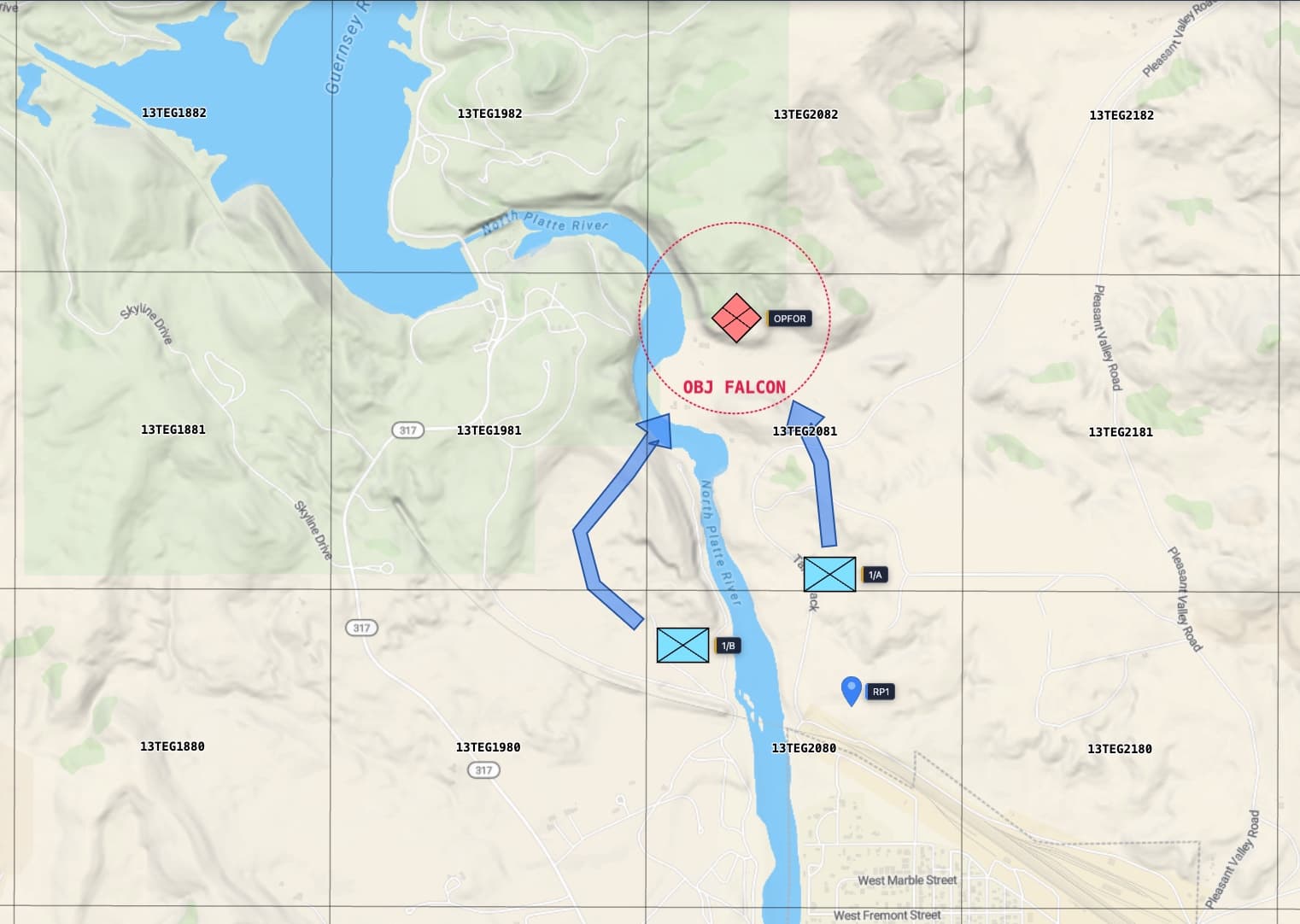
Everyone calls the same squares
Half the confusion on the field is people pointing at “that treeline over there.” Drop an MGRS grid over the AO and the whole op speaks one language. Call UJ 234 064 and every element finds the same 100 meter square, whether they are reading your overlay or a GPS that shows MGRS. New to it? Start with how to read a grid reference.
Mark the scheme of maneuver
Stand up the plan with the same symbol set used for the real thing. Plot friendly and OPFOR positions, set objective and rally markers, draw phase lines and limit-of-advance, and arrow in your avenues of approach. Add radius rings to sketch a support-by-fire arc or the reach of an objective.
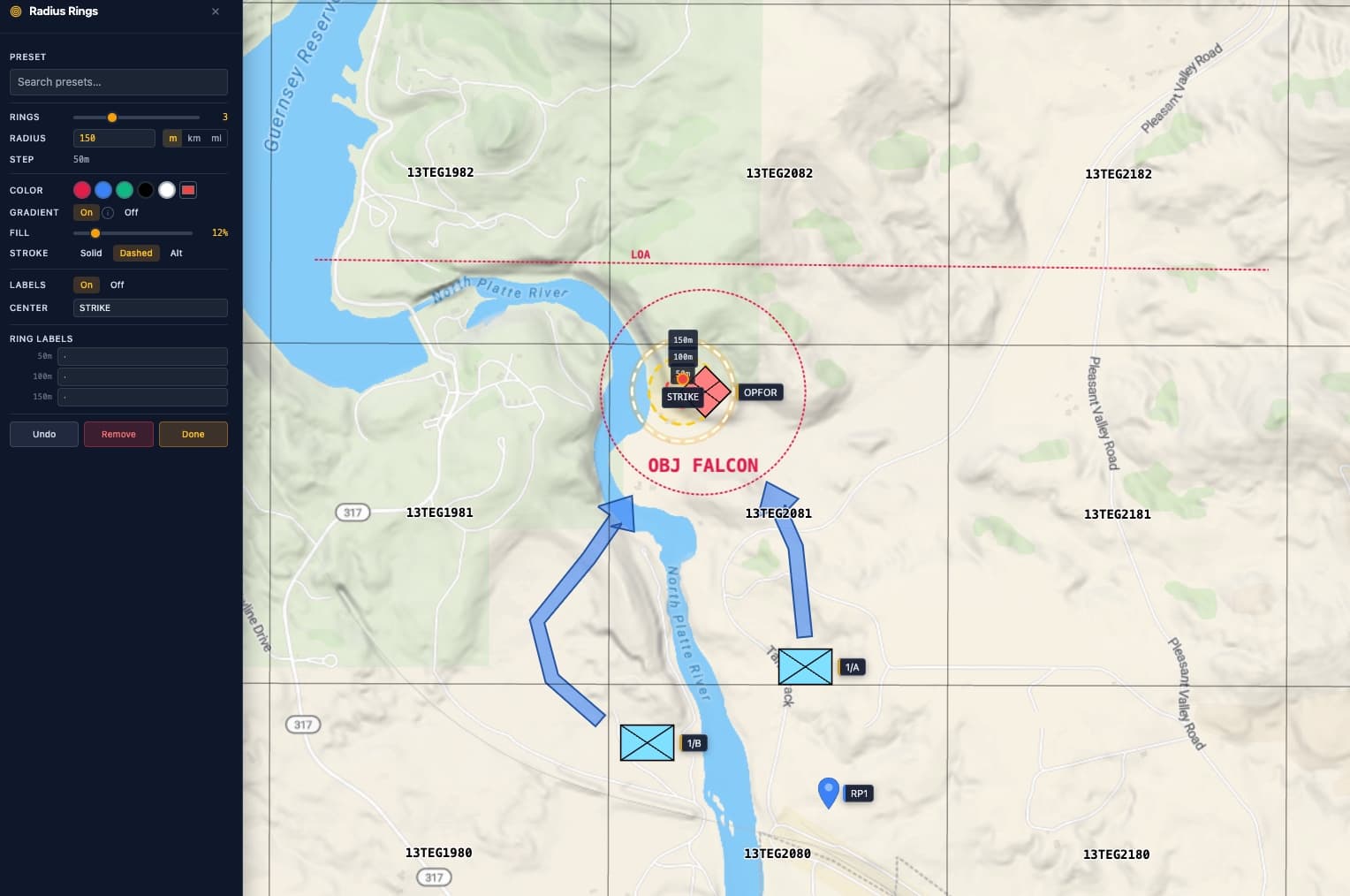
- Tactical symbols: friendly, hostile, and objective markers you can drop and label on the grid.
- Radius rings: range rings for fire arcs, frag radius, or the bubble around a strongpoint.
- Annotations: arrows, lines, and shaded areas for axes of advance, no-go zones, and boundaries.
- Distance measure: check a bound or a movement leg in meters before you commit to it.
- Sector planner: divide the AO into lettered squares and paint each fire team's piece in its own color.
Export the overlay, brief the team
When the plan is set, export a clean image or a print-ready PDF with the grid, symbols, and ranges baked in. Drop it into your OPORD, warno, or AAR, print it for the brief, or share it in the squad chat. No watermark on the output.
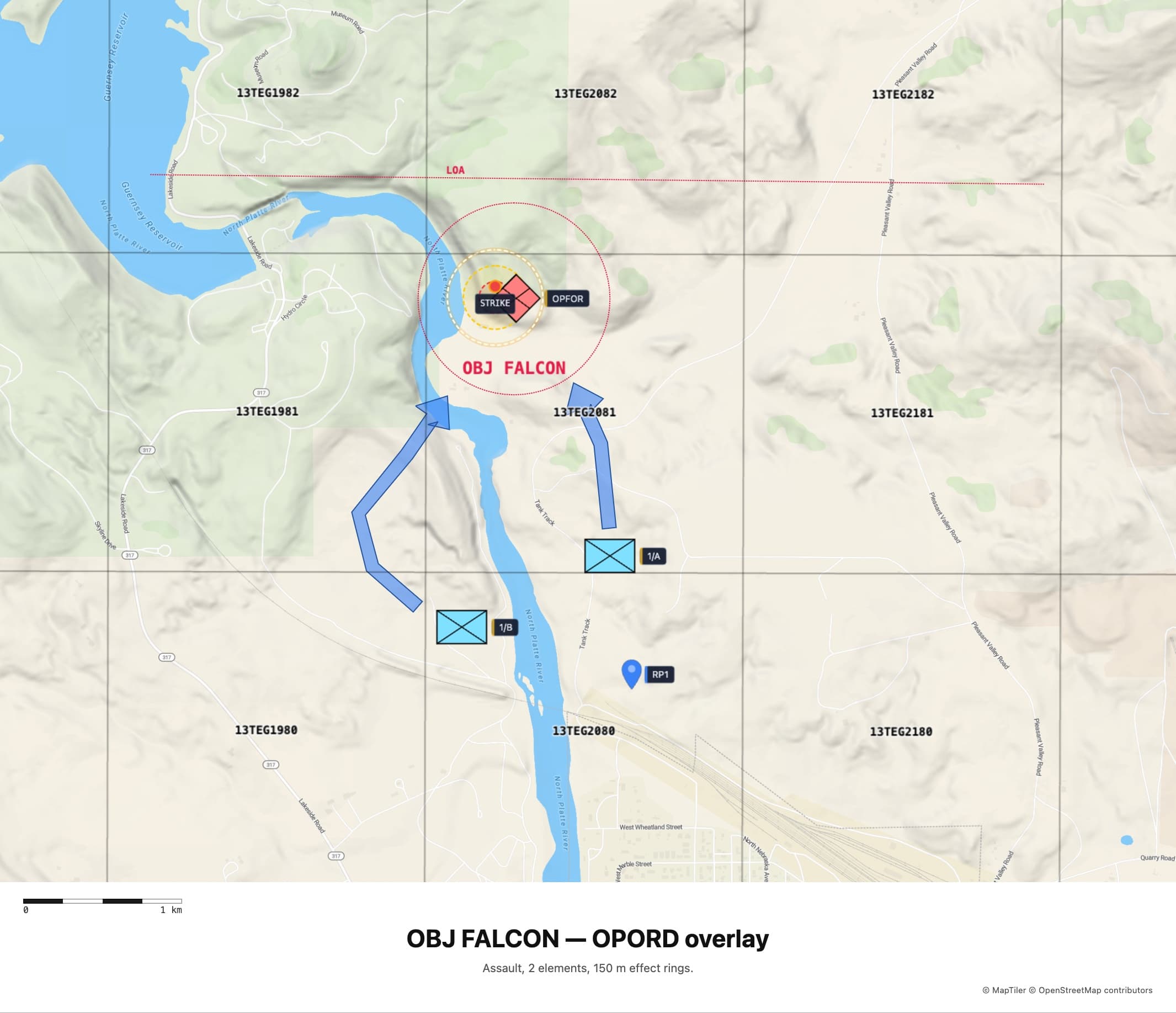
How a typical op plan comes together
- Open the map and search to your field or AO.
- Switch the grid to MGRS so every callout is standardized.
- Mark objectives, rally points, and friendly/OPFOR positions.
- Draw phase lines, axes of advance, and radius rings.
- Export the overlay and push it to the element.
FAQ
Is this good for airsoft and milsim ops?
Yes. Pull up the field or AO on a real map, drop an MGRS grid so every element is calling the same squares, and mark objectives, rally points, and fire-team positions with standard tactical symbols. Then export the overlay for your OPORD or warno. It is built for exactly this kind of planning.
Do my whole team need accounts?
No. Anyone can open the map, build the plan, and read the grid with no login at all. A quick, free sign-in is only needed when you export the finished overlay as an image or PDF to push out to the element. Signing in also lets you save the plan to your account, so you can build it at home and open it at the field.
Can I use real MGRS grid callouts?
Yes. Switch the grid to MGRS and you get the same Military Grid Reference System used for real land nav, from 100 km squares down to 1 meter. Callouts on your map match what shows on a GPS that displays MGRS, so the brief carries straight to the field.
Can I show weapon or effect ranges?
Yes. Radius Rings drops range rings at any point, so you can sketch a support-by-fire arc, a frag radius, or the reach of an objective. Stack them with symbols and annotations to build a full scheme of maneuver.
Is it free?
The planning tools, grid, symbols, and measuring all run free in your browser. A quick, free sign-in is needed only to export, or to keep plans in your account and open them on any device. No license, no watermark on the output.
Running this for a unit, school, or program that cannot use the public web app? See on-prem and air-gapped deployment.